Understanding HTML Tags and Elements

HTML stand for hyper text markup language
it is a markup not a programming it mean html does not think, calculate , make decision if website were a human than
HTML = skeleton (structure)
CSS = skin (design)
JavaScript = muscle(behavior)
it is used to structure the content of web pages , back in days websiter are just rcord of text that conatain link , so they needded to build something
that looks good
particulat structure
and have a capacity of linking pages easikly
so they decide too made it called HTML
without html, a webpage would be just unorganised text with no proper layout or hierarchy
HTML Tag
it is a specuial keynoar writ\ten insaide a angle braket( < > )that tells the browser how to trat content.
most Html has three parts
opening tag → starts thre element (
<p>)content → the actual text
closing tag → end eith the element (
</p>)
it is basically kike a box
opening tag = opening the box
content = what you put inside
closing tag = closing the box
HTML element
it is complete structure containing all three opening tag , content and closing tag comining together
so tag is s part and element are a whole things
Example:
<p>Hello</p>
This entire line is one HTML element, not just the <p>.
Paragraph element
<p>This is a paragraph</p>
Used for normal text content.
Heading element
<h1>Main Title</h1>
Used for important page headings. it goes from h1 to h6
Heading element
<h1>Main Title</h1>
Used for important page headings.
it is type or rectangle area where elements are plaed
Self-Closing (Void) Elements
there are some tag that do not have closing tagh as they do not conataong something in between them thats why they are called this
they only perform a single action , display somethings or insert or break
<br> → for line break
<img src” ”> → for display an image
Block-Level vs Inline Elements
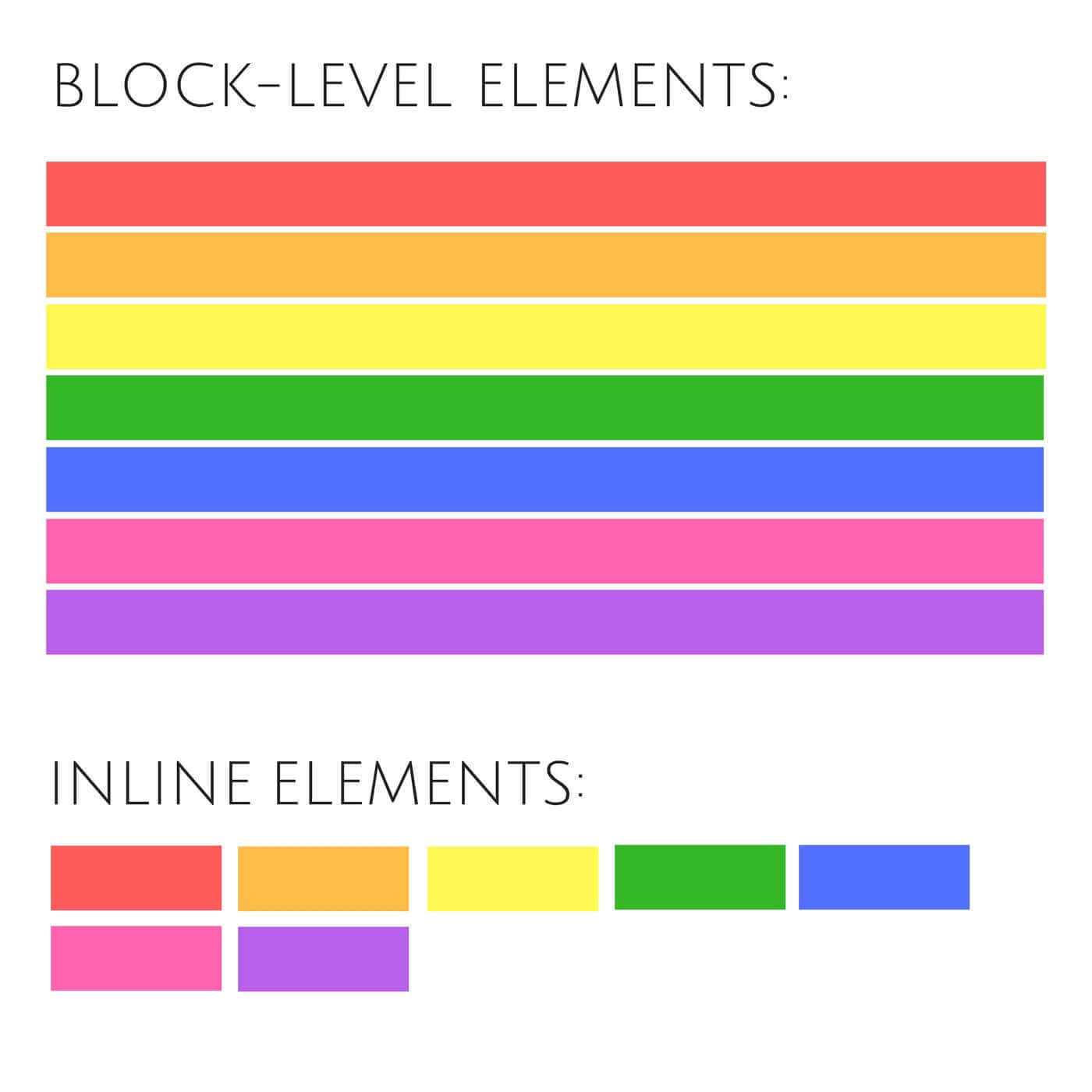
Block level :
it is like pressing enter on your keyboard first sentence , enter press automatically . second sentence starts below
so block mean new line every time
Example:
<p>I am learning HTML</p>
<p>I like coding</p>
inline element :
it is like a normal line consider a word as element a word is written continuouslu in a line , everything stay on one line , sentendce does not break
this is a inline behaviour
Example:
I am <span>learning</span> HTML
Inspect a wesite
how to access :
step 1 → uoen website
step 2 → right click anywhere and click on inspect
it basically let you see the real runtime HTML that browser is rendering , not just what you are typed in your editor. by inspecting we can learn:
how tags are actually nested
understan inline and bloak element visuallly
real time stucture of website
it is suggested for every dev he should have inspect element.


